In this webpage, you can download the Excel templates and VBA based applications that I have created. Below is the list of templates or applications. By clicking on the template/app that you are looking for, you can jump to the download section, where there is a brief description, download link and video tutorial link attached.
- Basic Inventory In-Out-Balance Tracking Sheet
- Employee Attendance Tracking Sheet
- FIFO based Inventory Tracking Sheet (Batch Number & Expiry Date wise stock movement tracking
- Customer Invoice and Payment Tracker Sheet
- Auto Allocate Payments to Invoice of Customers (FPFA Method)
- Order Delivery Tracking Format
Basic Inventory In-Out-Balance Tracking Sheet
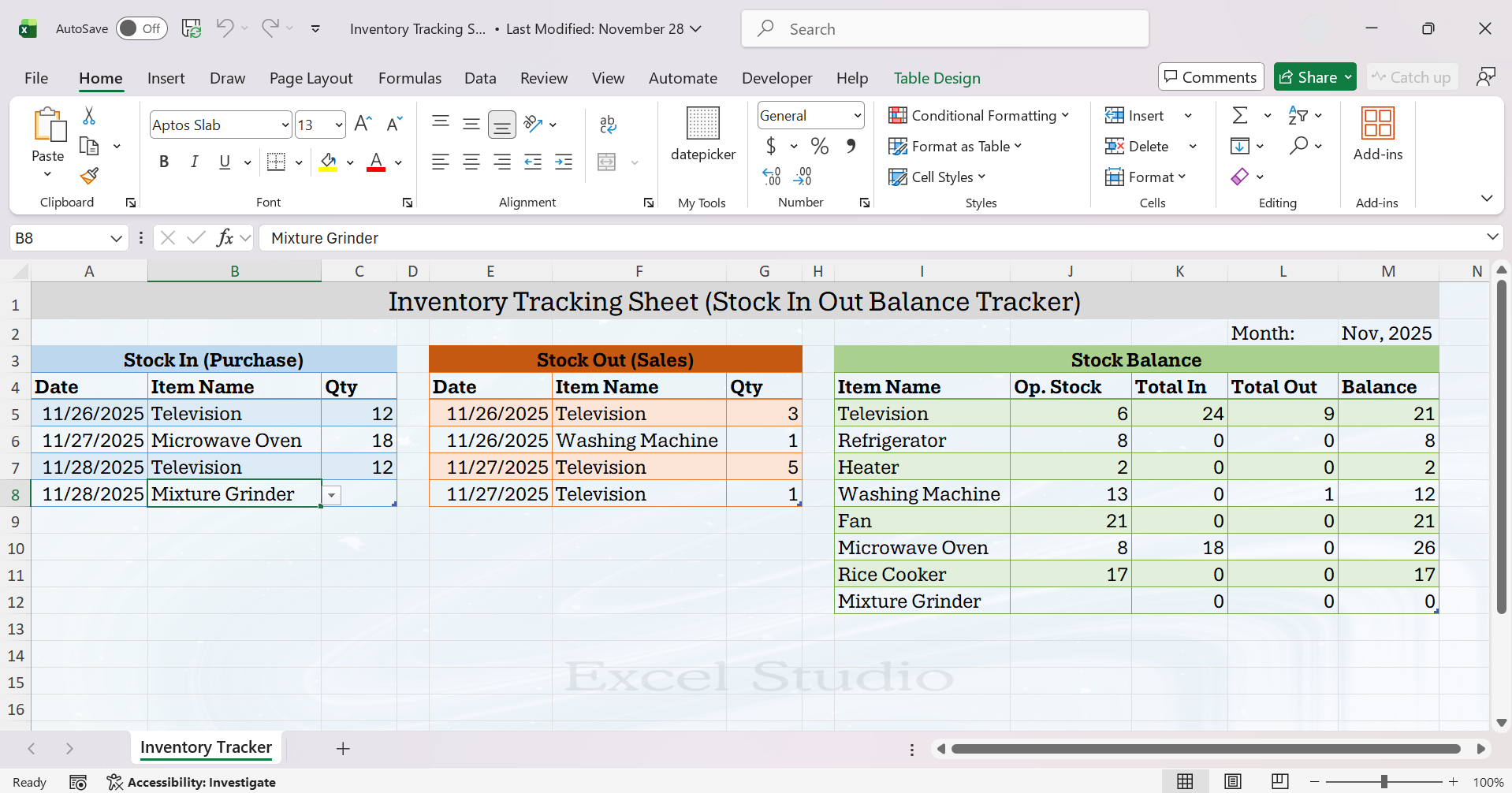
This is a basic stock in out and balance tracking sheet in Excel where you can enter the details of stock in (purchase), stock out (sales). Based on the in and out transaction, the balance stock will automatically get updated.
Employee Attendance Tracker Sheet

This is a dynamic Excel sheet to track the attendance report of employees. By changing the Month and Year from the drop-down menu, you can easily create a new format for attendance tracking. The total present days, total absent days etc. gets automatically calculated using formulas. The attendance values like P (for Present), A (for Absent), HL (for Half Leave) can be selected by using drop-down menu.
FIFO Based Inventory Tracking Sheet (Batch Number and Expiry Date wise Stock Movement Tracker)
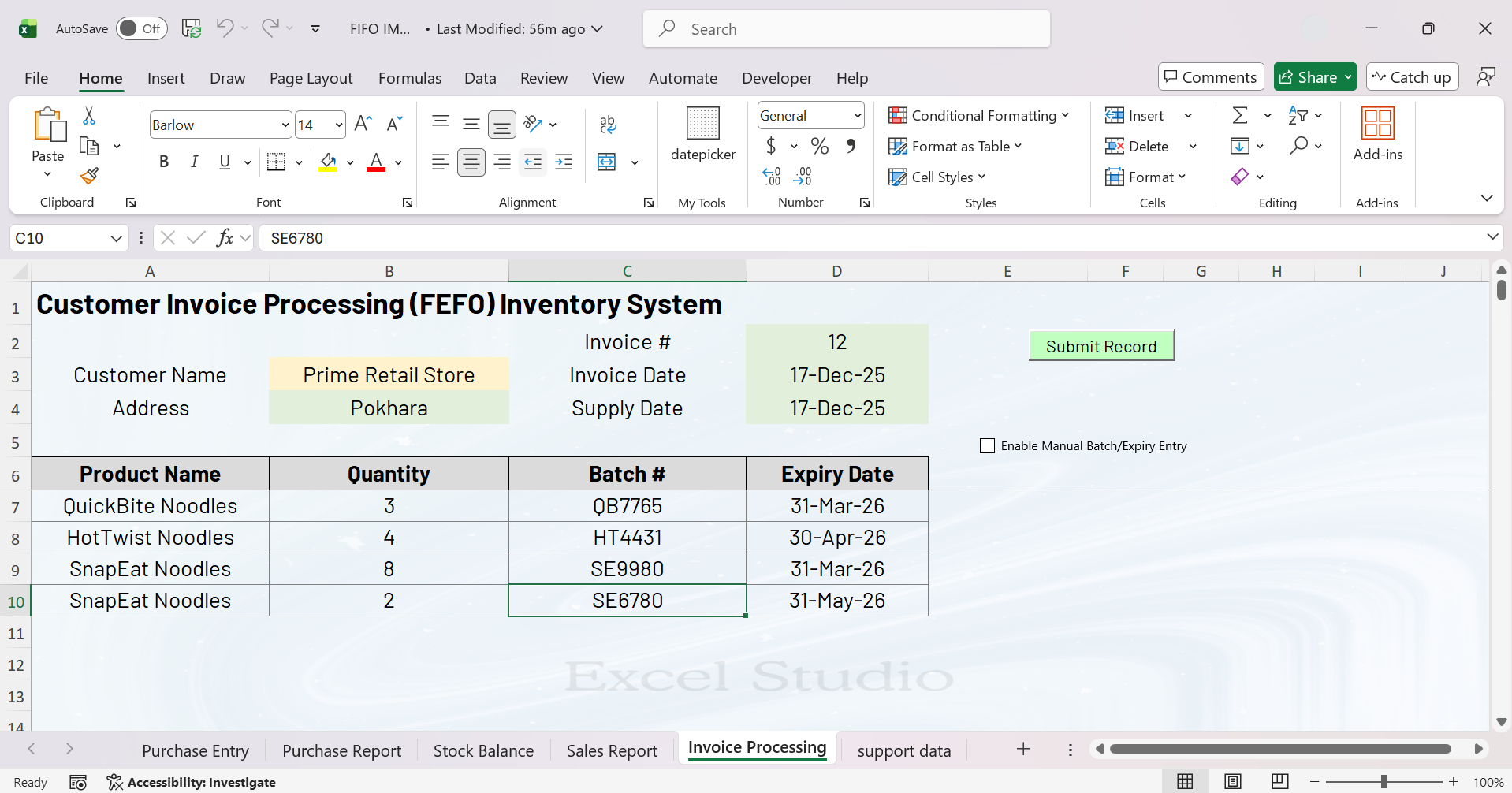
This is a fully automated FIFO based Inventory tracking sheet in Excel. If you have multiple products having multiple batch number and expiry dated products in warehouse, this system will let you track the purchases, sales and closing stock batch wise and expiry date wise by implementing the First In/Expiry First Out (FEFO/FIFO) basis.
Customer Invoice & Payment Tracker Sheet

This is a dynamic system for tracking customer invoice and payments. If you are in a business of sales of product or services in credit to different customers and wanted to track the details of invoice and payments effectively, this sheet can be useful to you.
Auto Allocate Payments to Invoices of Customers (FPFA Method)
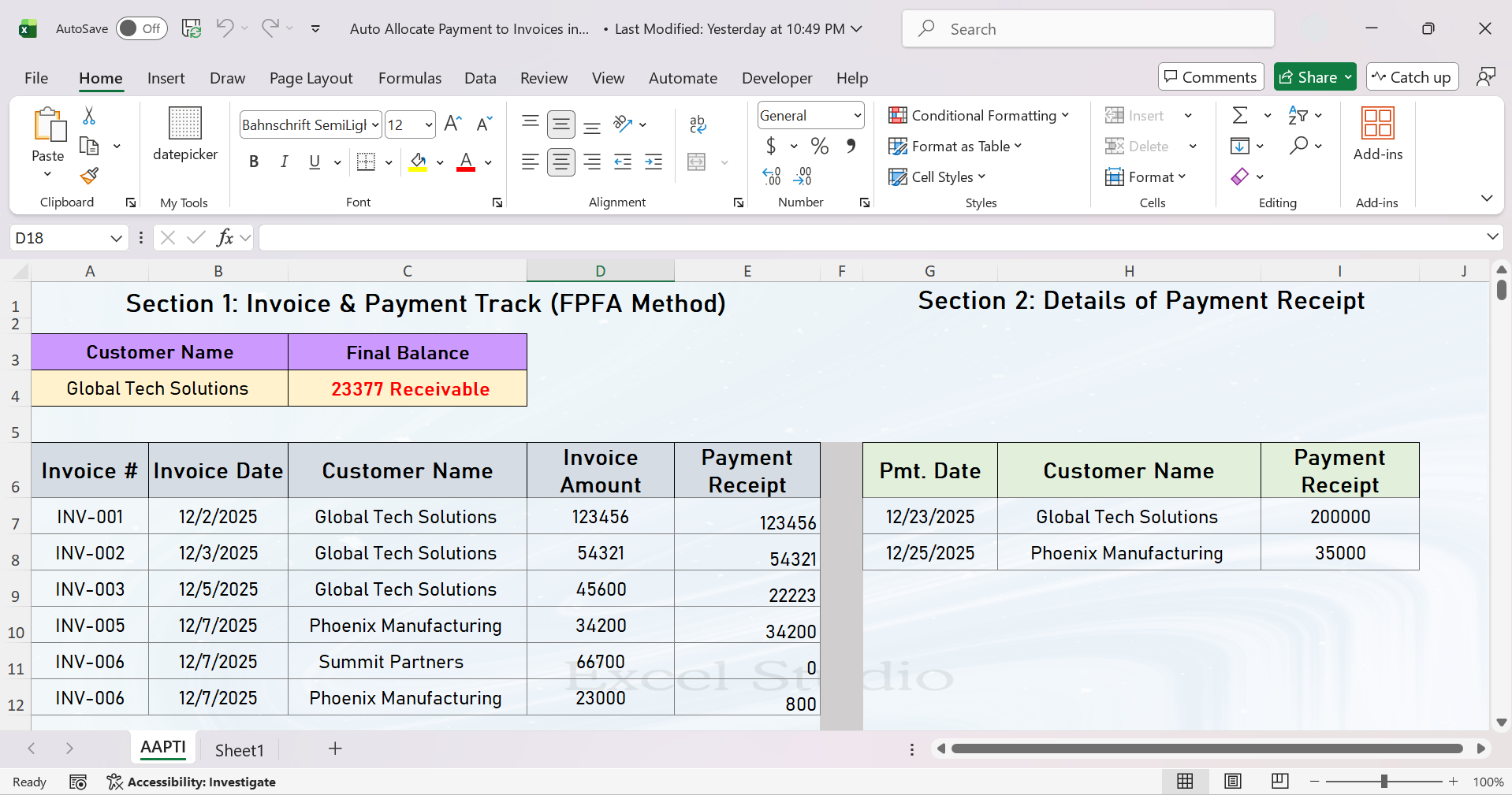
Stop wasting time on manual payment matching! This automated allocation system in Excel instantly applies incoming customer payments to their oldest invoices, following a consistent “first payment, first allocation” rule. This means you no longer have to spend hours cross-referencing payments against open items. The system ensures accuracy, eliminates guesswork, and instantly updates each customer’s balance. The result? Your invoice and payment tracking becomes precise, and you can focus on more valuable tasks instead of tedious data entry. It brings professional-grade accounts receivable management to our everyday workflow.
Order Delivery Tracking Sheet
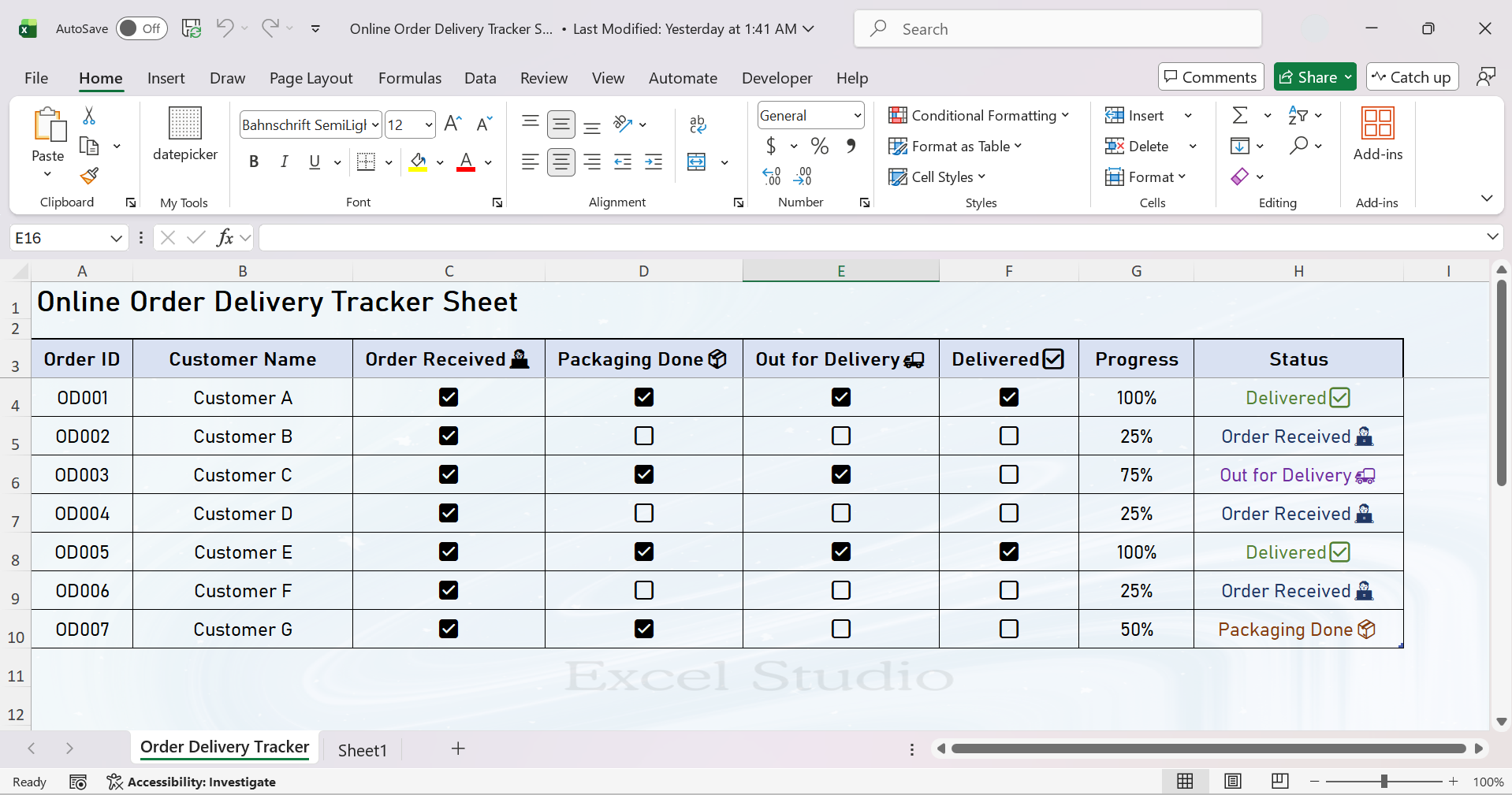
This order delivery tracker sheet helps users monitor every stage of the order process clearly and efficiently. With automatic progress percentage calculation and dynamic delivery status updates—such as Order Received, Packaging Done, Out for Delivery, and Delivered—it eliminates manual tracking and reduces errors. As soon as new order details are added, the sheet updates the format and status automatically, saving time and improving accuracy. This makes it an essential tool for maintaining transparency, ensuring timely deliveries, and enhancing overall operational efficiency and customer satisfaction.